Unicon Insights: My Tips, Tricks & Real-World Experiences
Tips and solutions for common issues when using Unicon, based on my own experience.
CITRIXUNICON
12/1/20252 min read


In this short article, I’ll explain some of the problems I encountered while using the Unicon POC Guide. This blogpost will be updated regularly with new information about Unicon as I explore further.
Custom Hostname Issue in Scout ELIAS Installation
During the standard installation procedure of Scout ELIAS, you are not asked which hostname you want the website to be reachable at. But what if you don’t want to use the server’s FQDN and prefer a custom hostname instead?
Good news - this is easy to adjust.
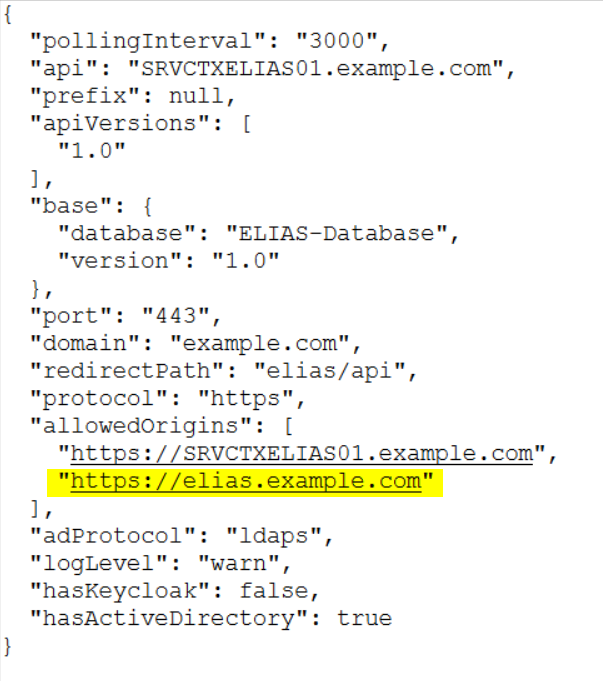
You can change the hostname by adding your desired name to the “allowedOrigins” section in the following configuration file inside your entered installation path: "C:\Program Files\Unicon\Scout\ELIAS\config.json"
After editing the file, simply restart the Elias Service - and your custom hostname should work immediately.
Setting Up Kiosk Mode for Self-Service Password Resets
You’re probably familiar with the flood of support tickets caused by forgotten passwords.
With Scout/eLux, you have the option to give users access to a Kiosk Mode without authentication. This is for example useful if you’re using a Self-Service Password Reset Portal, allowing users to reset their passwords without creating extra support tickets.
In Scout, this can be set up using a ServiceApp.
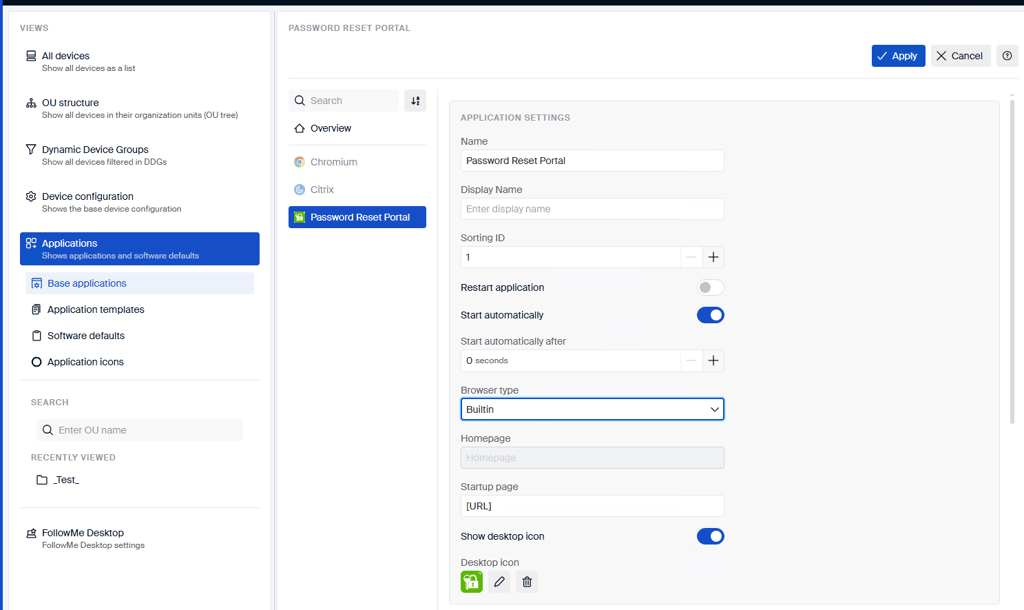
Create a new Browser Application and choose either the Builtin browser or Firefox - both support Kiosk Mode.
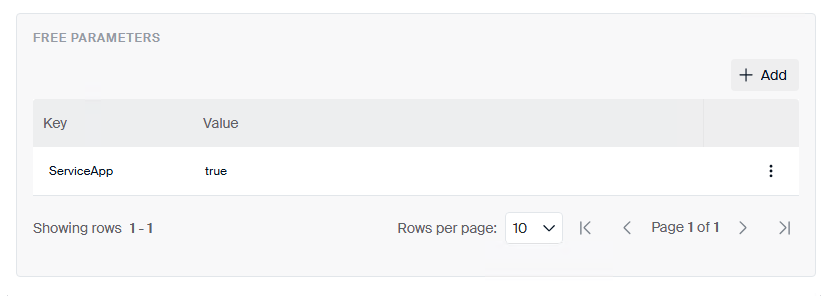
In the FreeParameters section, make sure to add "ServiceApp = true"
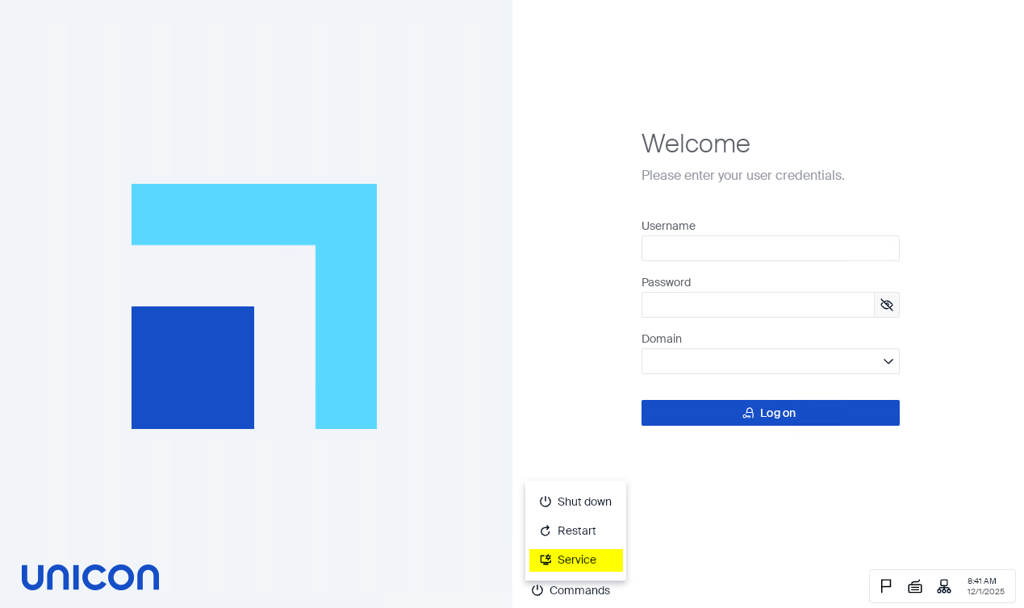
After setting up the ServiceApp, users can access Kiosk Mode directly from the initial login screen by clicking on Service.